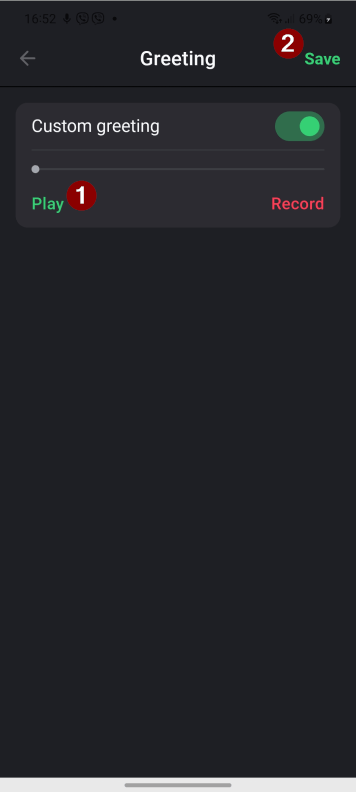
Did you know that you can adjust your voicemail for each of your virtual numbers? This can come in handy if you have multiple lines for different purposes. By personalizing your voicemail message, you can ensure that callers know they’ve reached the right number and leave a message that fits the context of your business.
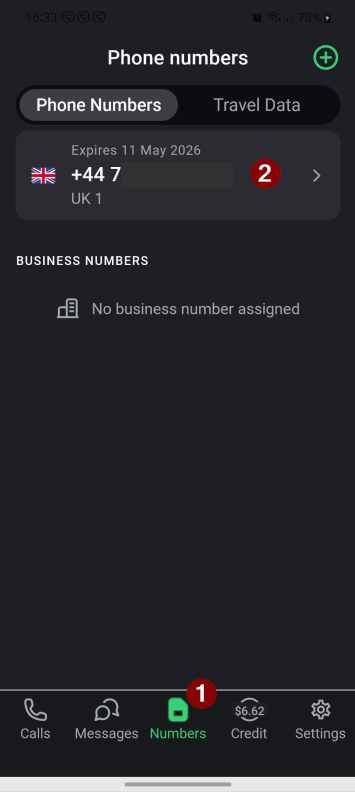
1 .Tap the “Numbers” button on the bottom home screen and then tap the Call.com number
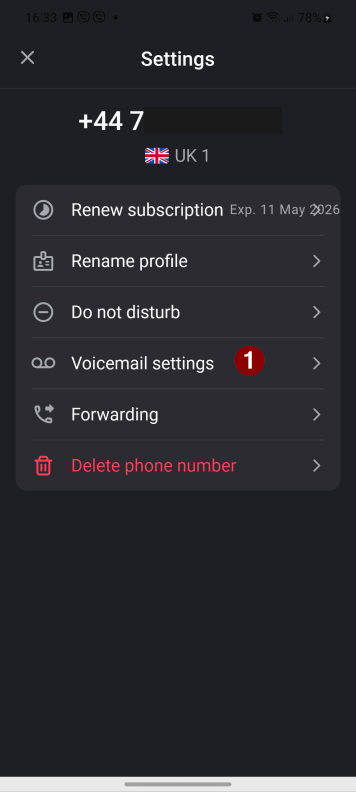
2. Select the “Voicemail settings” option.
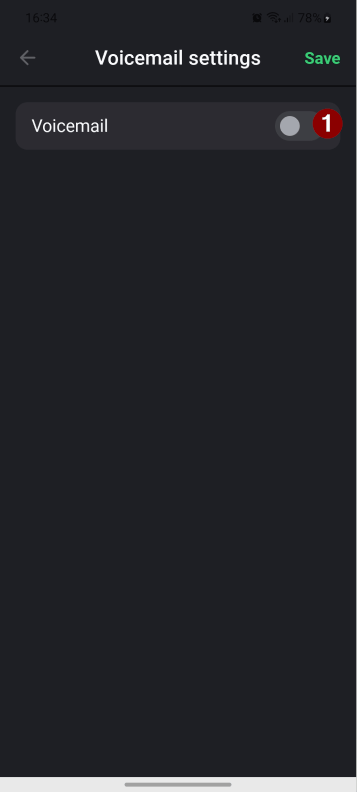
3. Tap the toggle to enable a voicemail.
4. Tap the “Default” next to the “Greeting” to record your personalised voicemail.
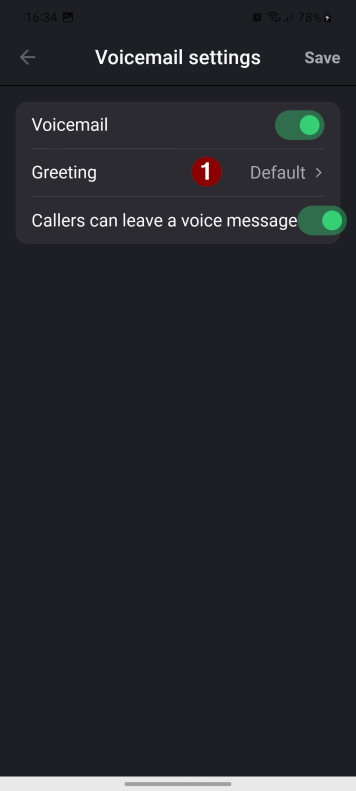
5. Tap the toggle next to the “Custom Greeting” to enable it. Tap the “Record” button to start recording and then the “Stop” button to finish.
6. Tap the “Play” button to listen to the recording and then the “Save” button.