
You can chat with other Call.com users for free.
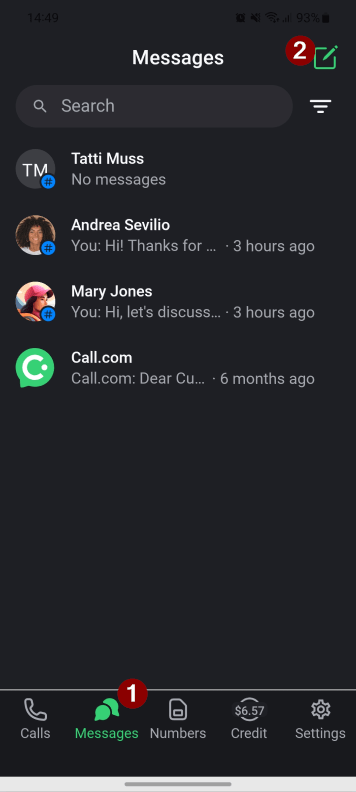
1. Tap the “Message” button on the bottom home screen and then the “New message” button in the top right.
2. Switch to the “Chat” tab. Use the “Search” field to quickly find a contact in the list.
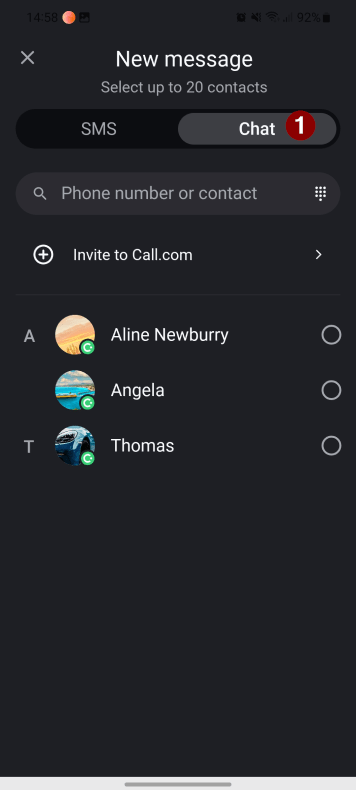
3. Select the contact you want to send an SMS to, and click the “New message” button.
4. Type your message and tap the “Send” button.