
Instructions for mobile devices
1. Open your call.com app
2. Navigate to Calls -> tap the Make a call button
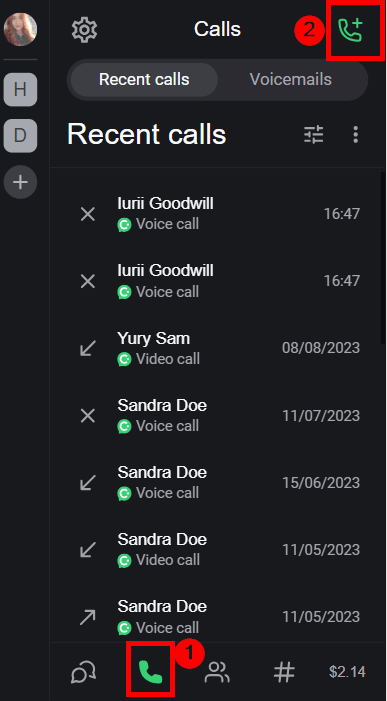
3. Select the type of a group call you need to make
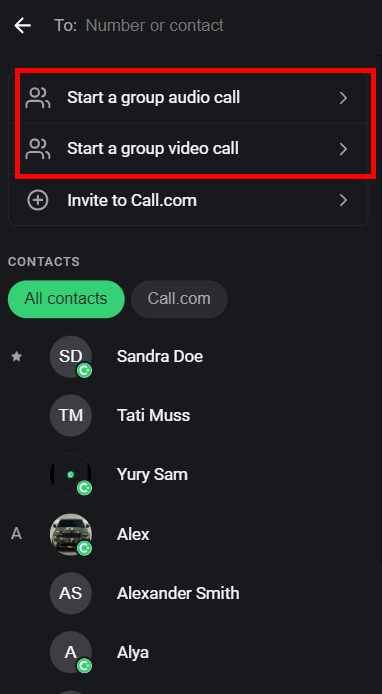
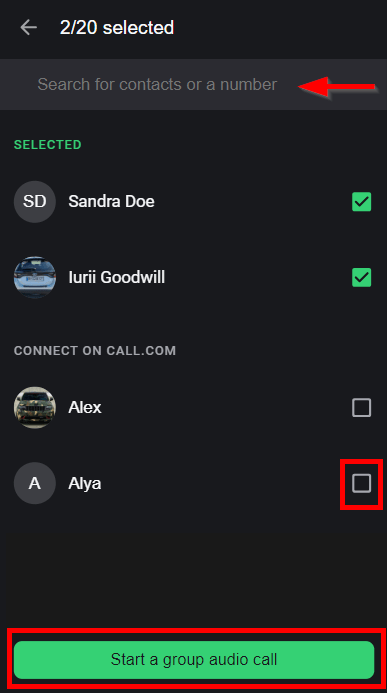
4. To find contacts, you can either type their name/mobile number in the Search field or browse through the contact list and choose from there. Once you’re ready, simply tap the Start a group call button.
Instructions for PWA/ web browser
1.Open your call.com app
2. Navigate to Calls -> click the Make a call button
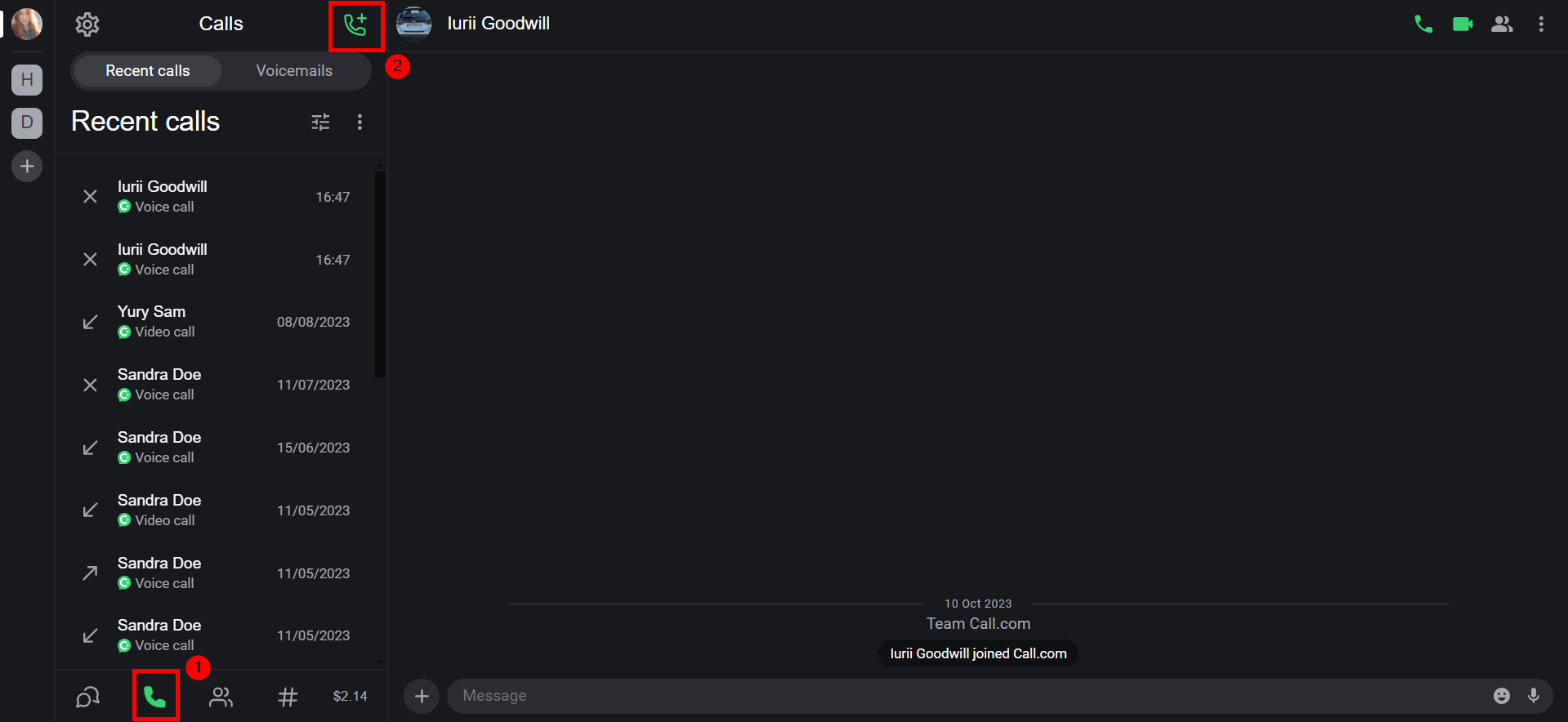
3. Select the type of a group call you need to make
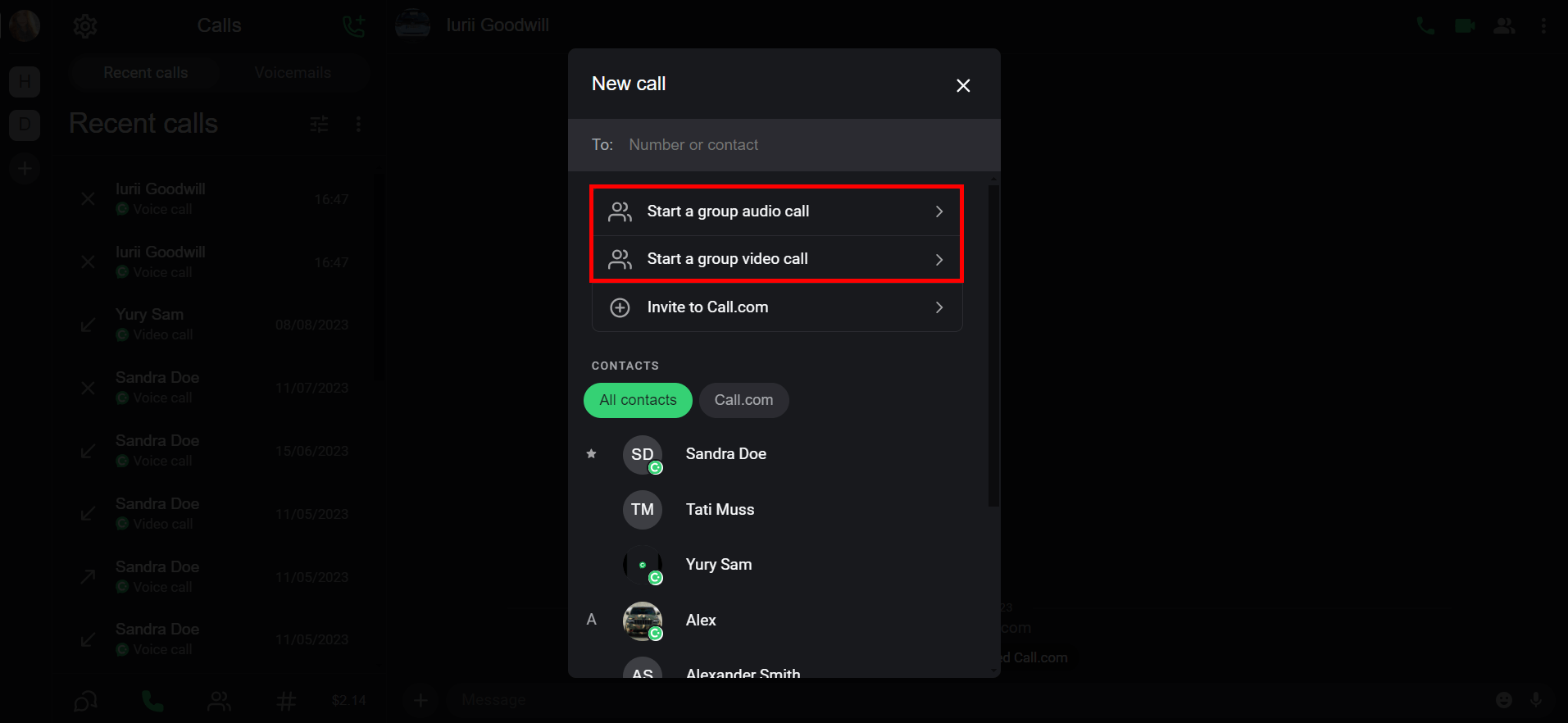
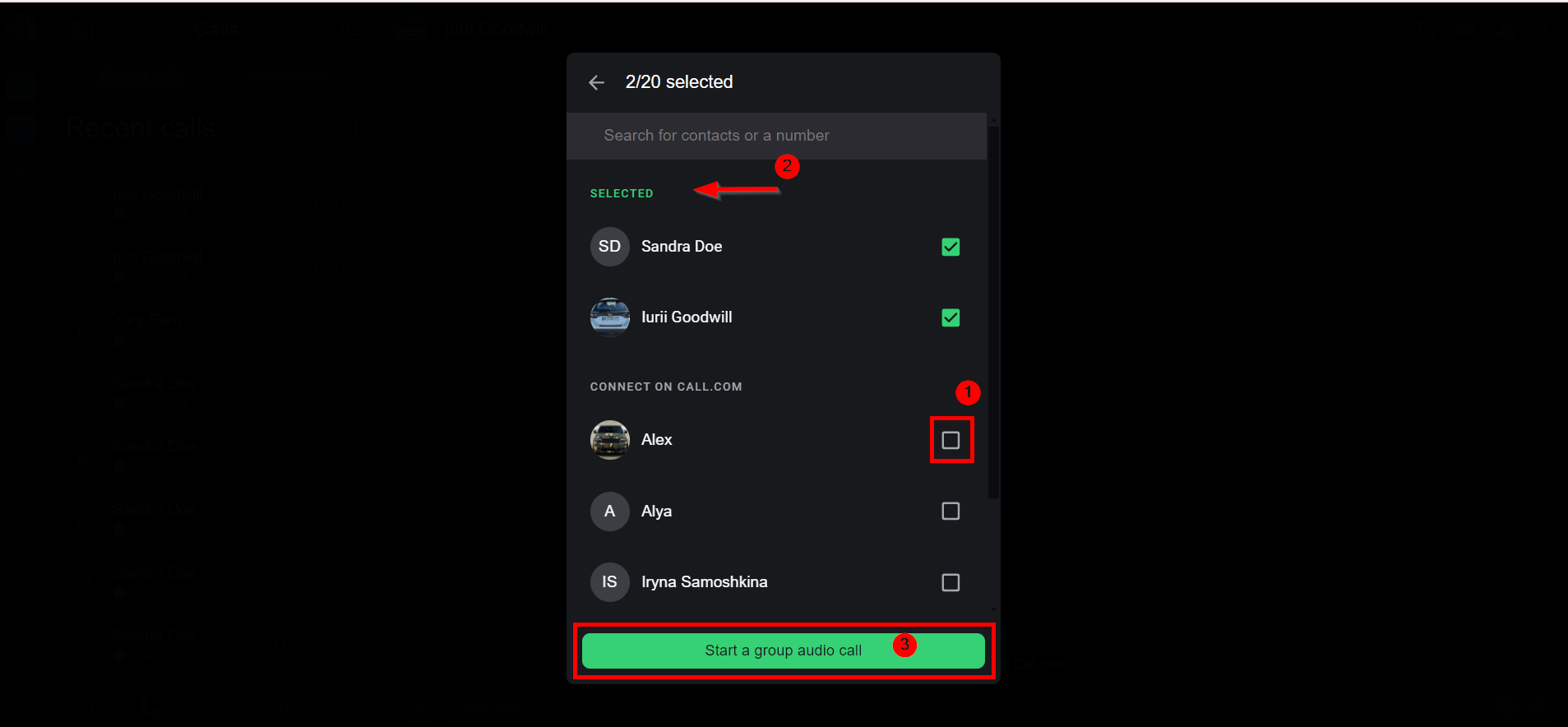
4.To find contacts, you can either type their name/mobile number in the Search field or browse through the contact list and choose from there. Once you’re ready, simply click the Start a group call button.
5.You can send messages during the call
6.To share your screen during PWA app calls, utilize the Share screen feature
7.You can invite users to the ongoing call
List of the most related articles:
How do I make a direct call with call.com?
Do I have my own number where people can call me?
I have issues with making/receiving calls