Instructions for mobile devices:
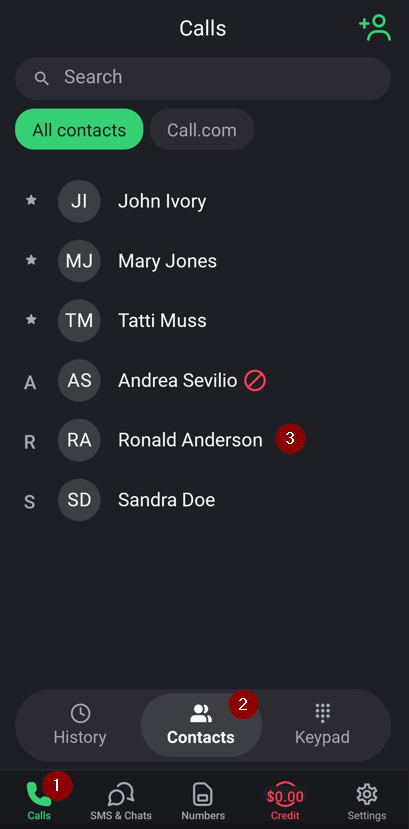
1. Open your call.com app
2. Click the “Calls” button on the bottom home screen and then the “Contacts” button on the quick access screen. Select the contact whose information you need to edit
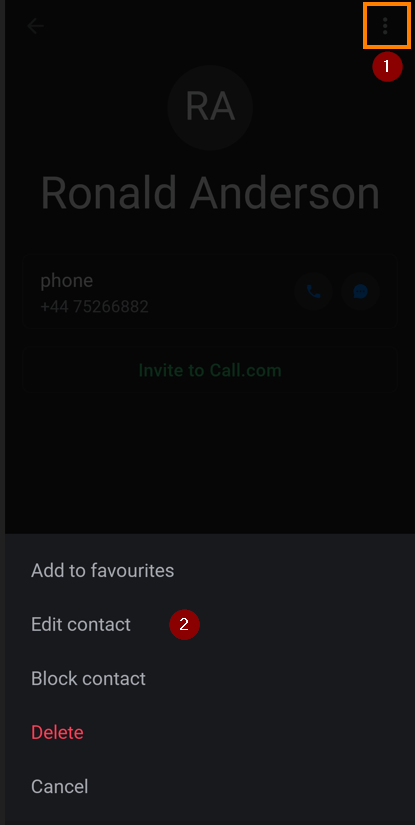
3. Click the 3 dots button in the top right and select the “Edit contact” option in the menu.
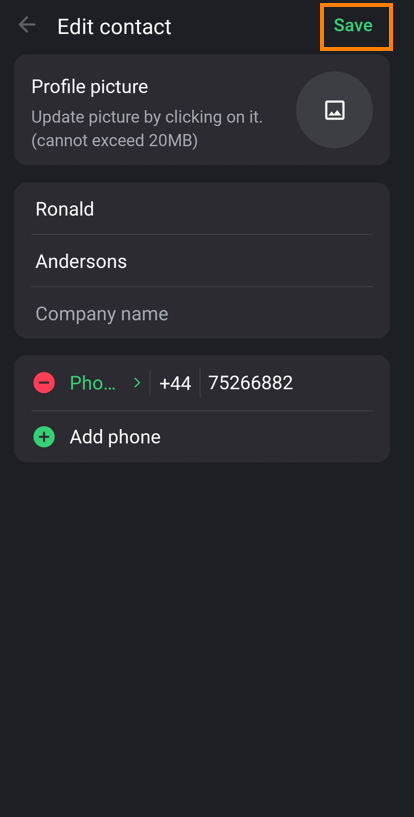
4. After you made all required chnages, click the “Save” button in the top right
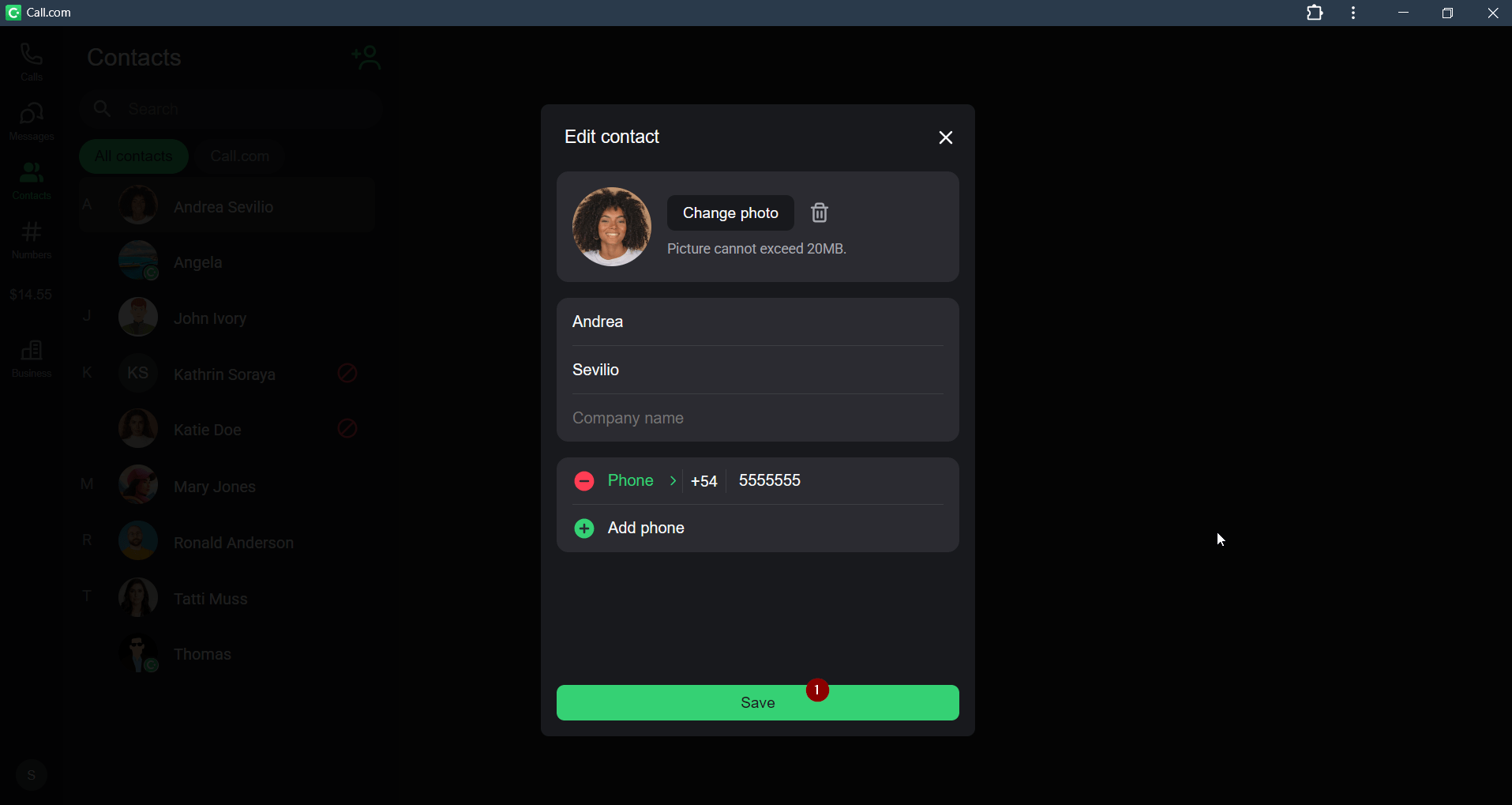
Instructions for the web app
1. Open your call.com app
2. Click the “Contacts” on the left home screen and select the contact, whose information you need to edit. Click the 3 dots button on the left and select the“Edit contact” option.

3. After you edited the required information, click the “Save” button