
Instructions for the web app:
1.Open your call.com app
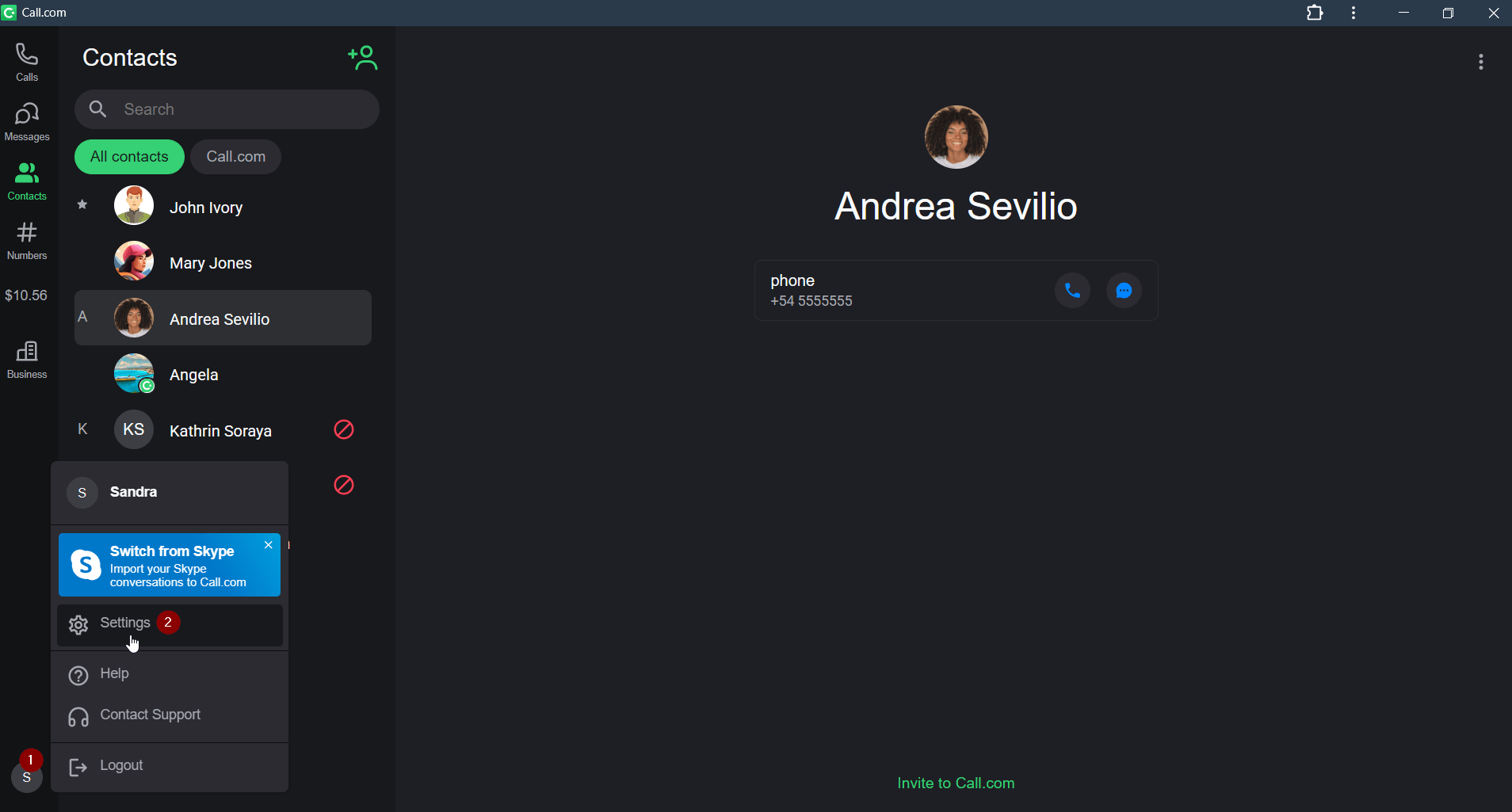
2.Click your profile icon at the bottom of the left home screen and select the “Settings” option in the menu.
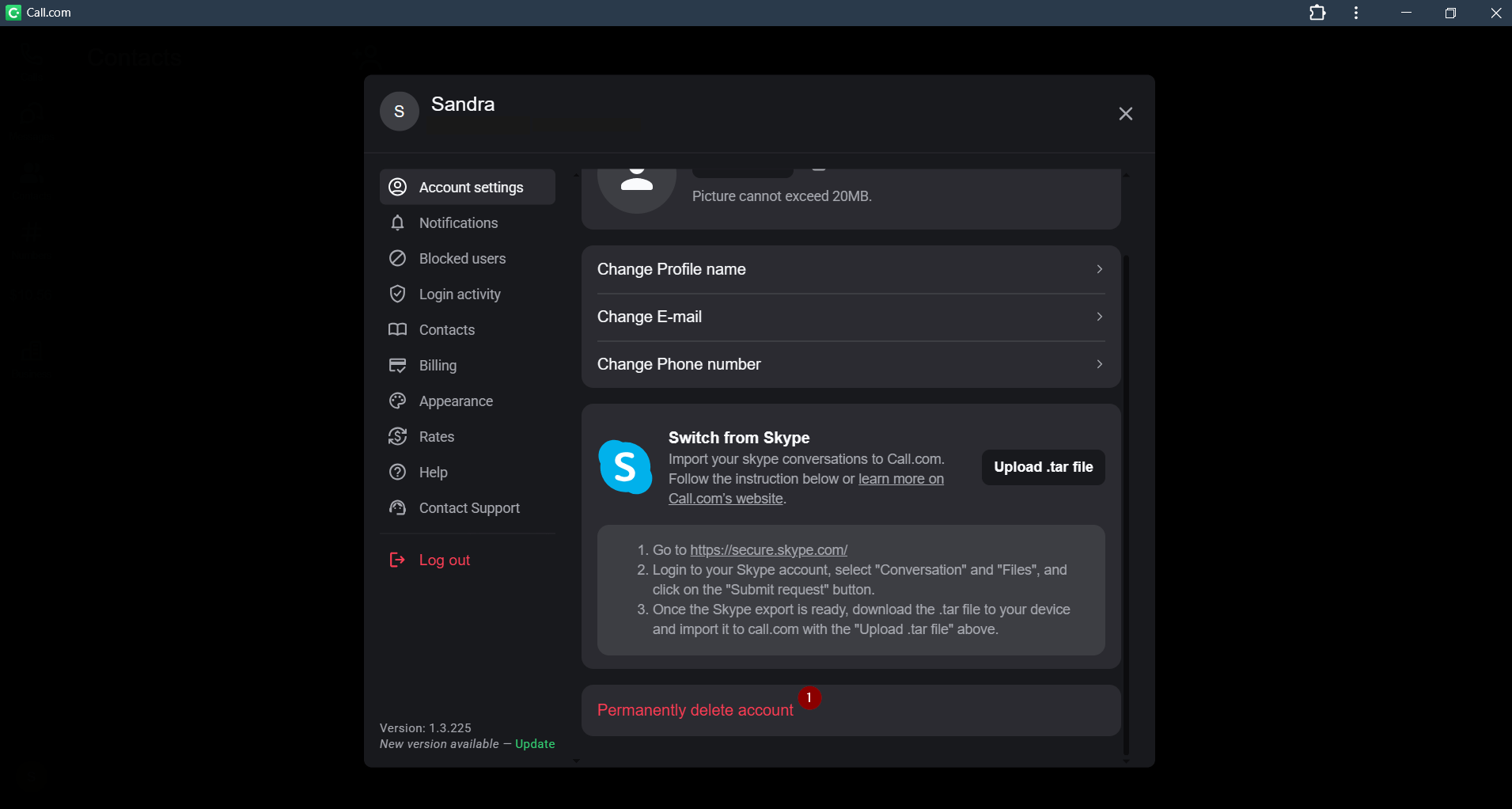
3.Click the “Permanently delete account” button and proceed with further steps. You will need to confirm the warning that you will lose your account by entering 4 last digits of your SIM number.
Note: your account deletion request will be proceeded in 30 days in our systems. If you log into the account during this period you will cancel this process
Instructions for mobile devices
1.Open your call.com app
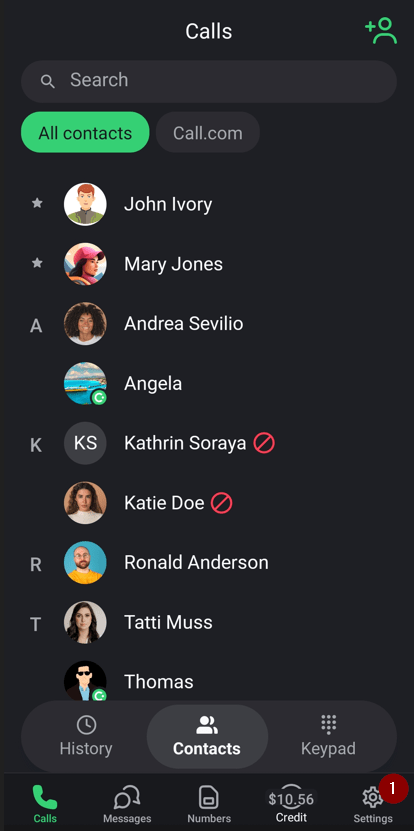
2.Click the “Settings” button on the bottom home screen
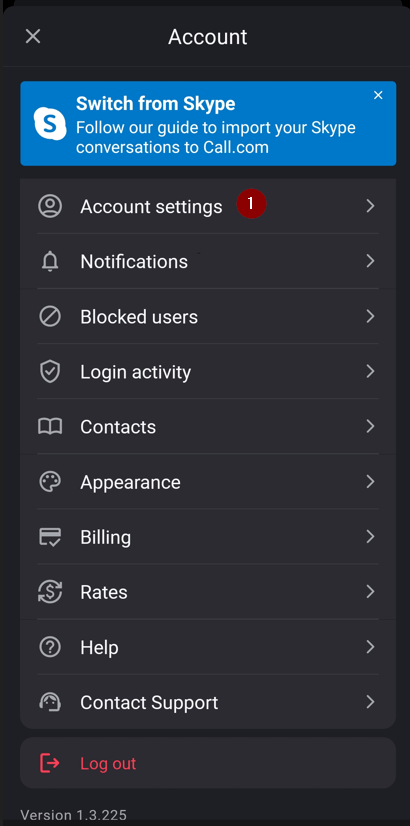
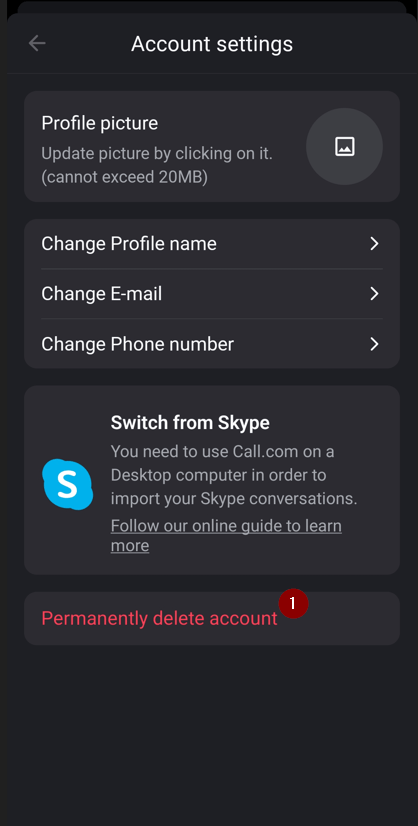
3.Select the “Account settings” option in the menu
4.Click the “Permanently delete account” button and proceed with further steps. You will need to confirm the warning that you will lose your account by entering 4 last digits of your SIM number.
Note: your account deletion request will be proceeded in 30 days in our systems. If you log into the account during this period you will cancel this process