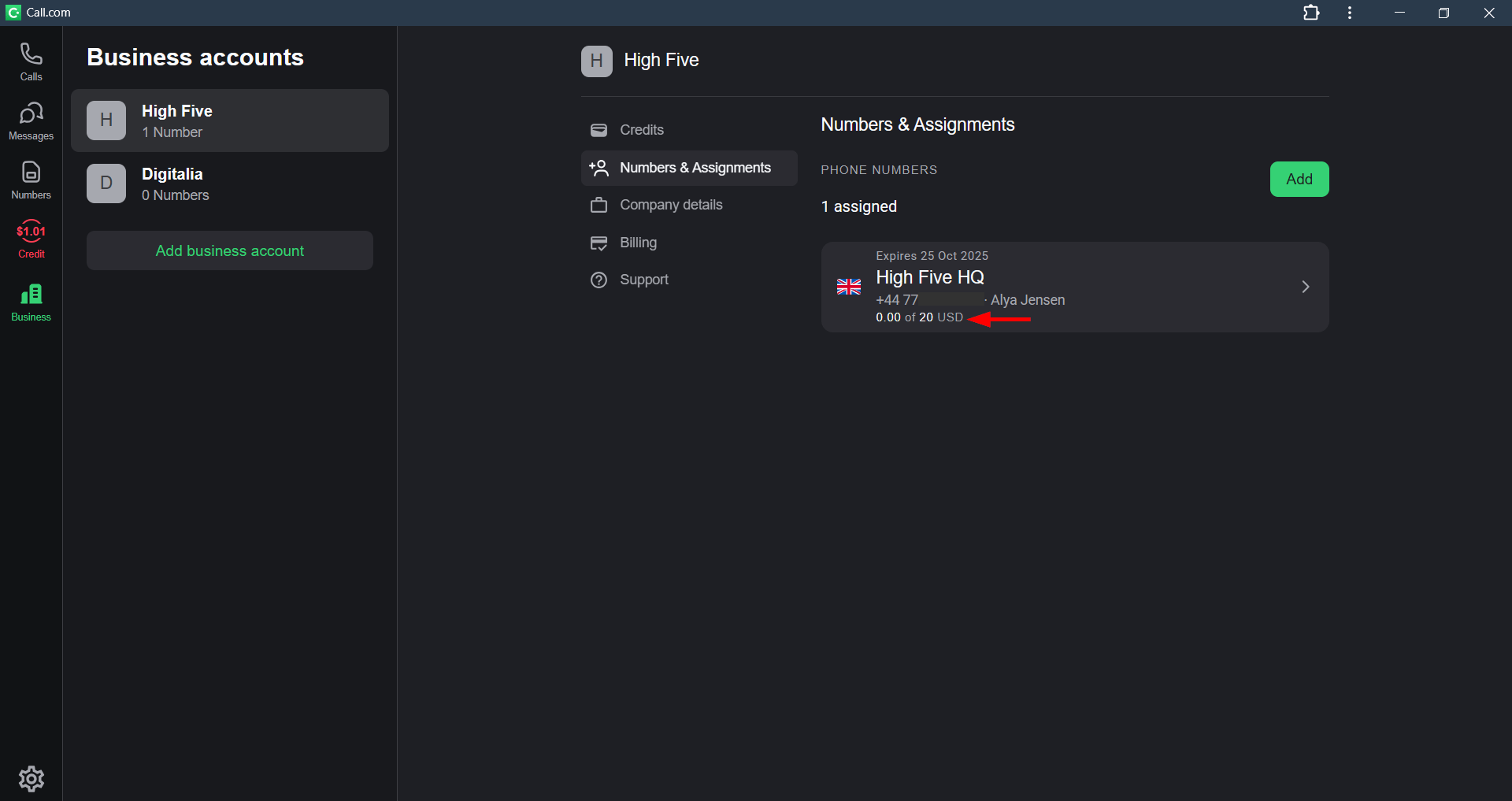
As a business owner or manager, it is crucial to keep a close eye on all expenses and control them effectively.
The call.com app offers you the convenience of managing the spending limits for the virtual numbers that are assigned to your business account. This feature allows you to set specific limits for each virtual number.
With the call.com app, you can easily monitor your expenses and make adjustments as needed. Whether you need to increase or decrease the spending limit, the call.com app makes it simple
How to set spending limits:
1. Open your call.com app
2. Click the “Business” button on the home left screen and select the business account
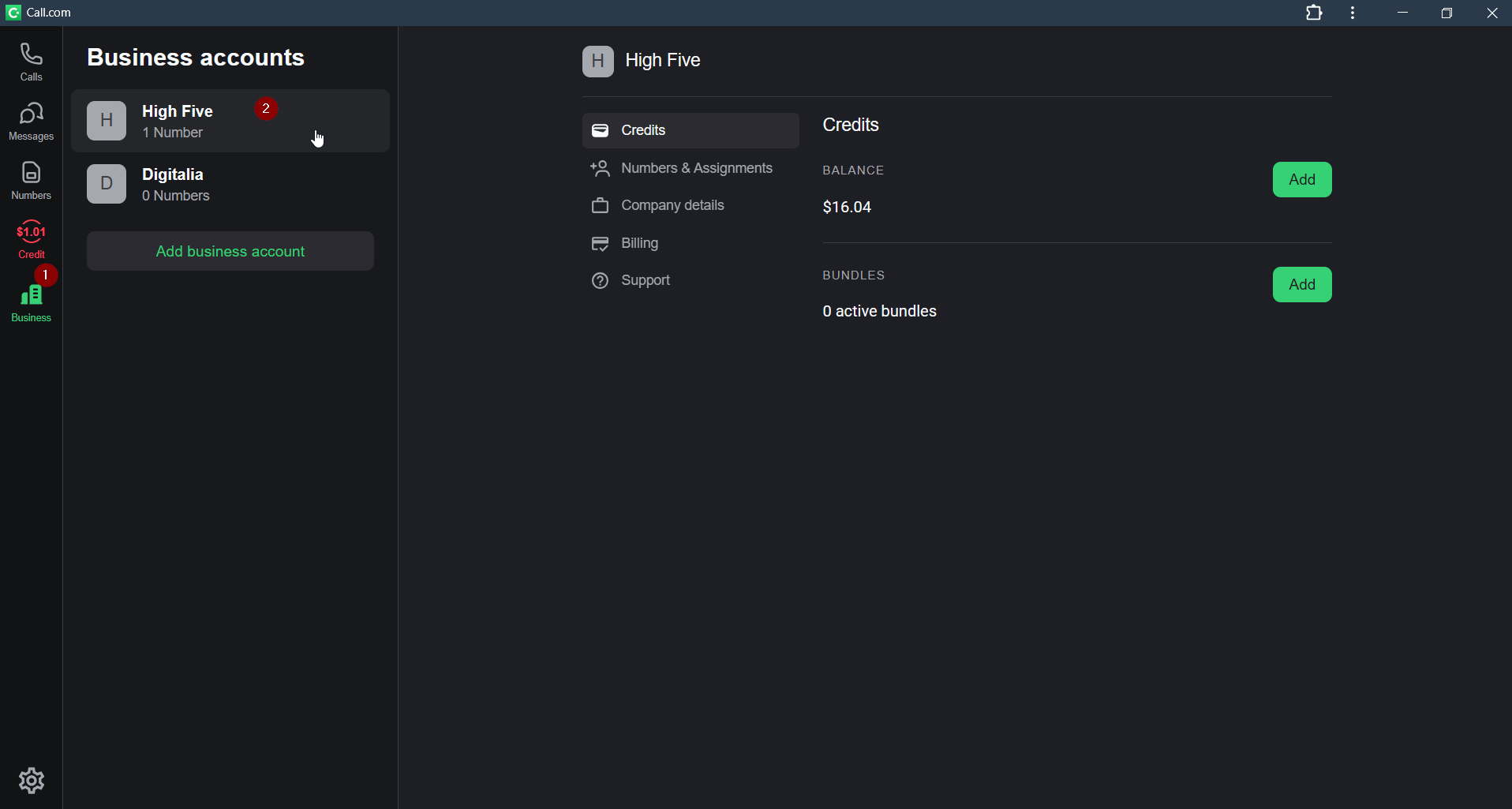
3. Select the “Billing” option and tick the box next to the “Default spending limit per number”
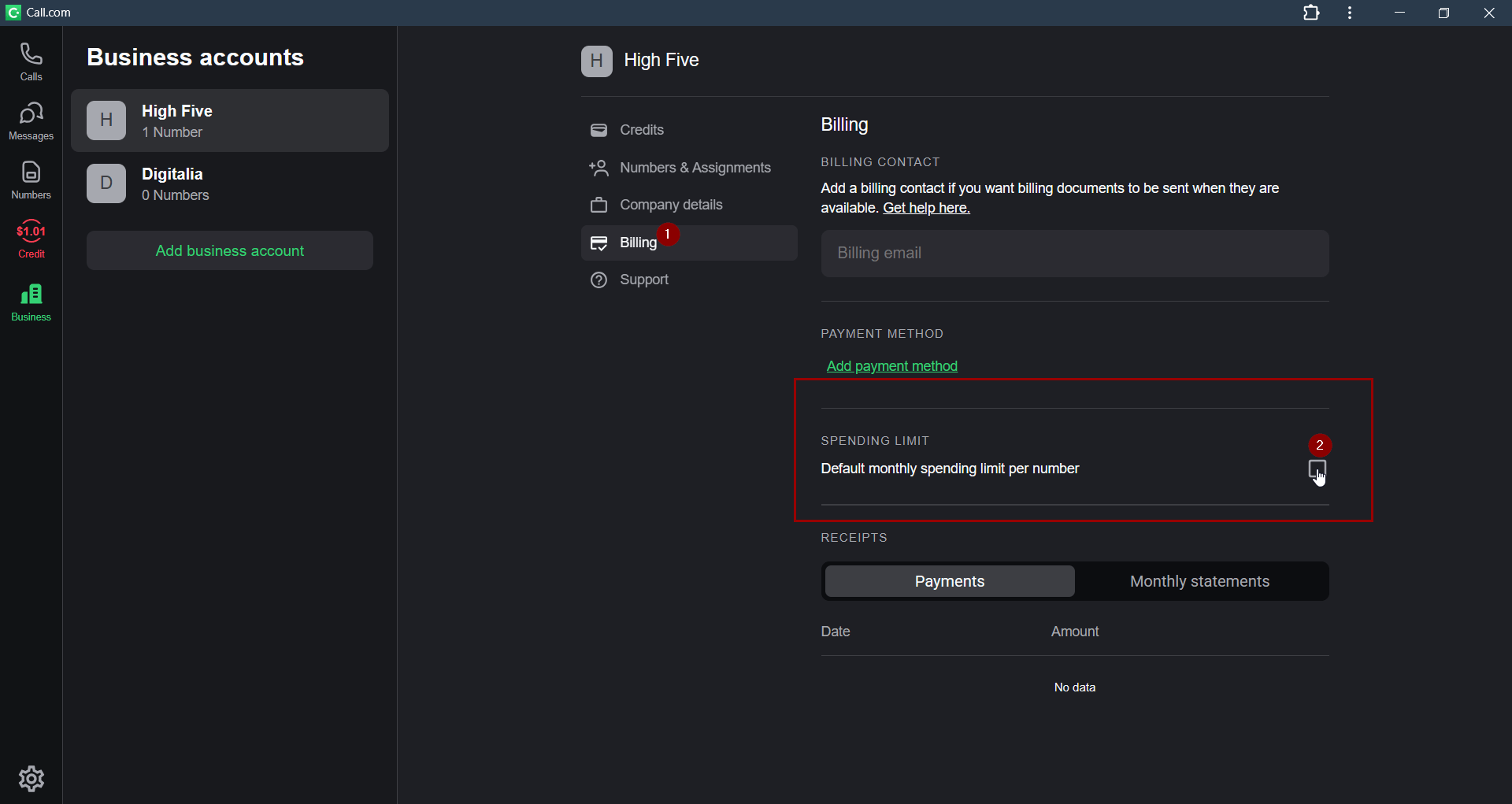
4. Click the “Save” button to save the changes
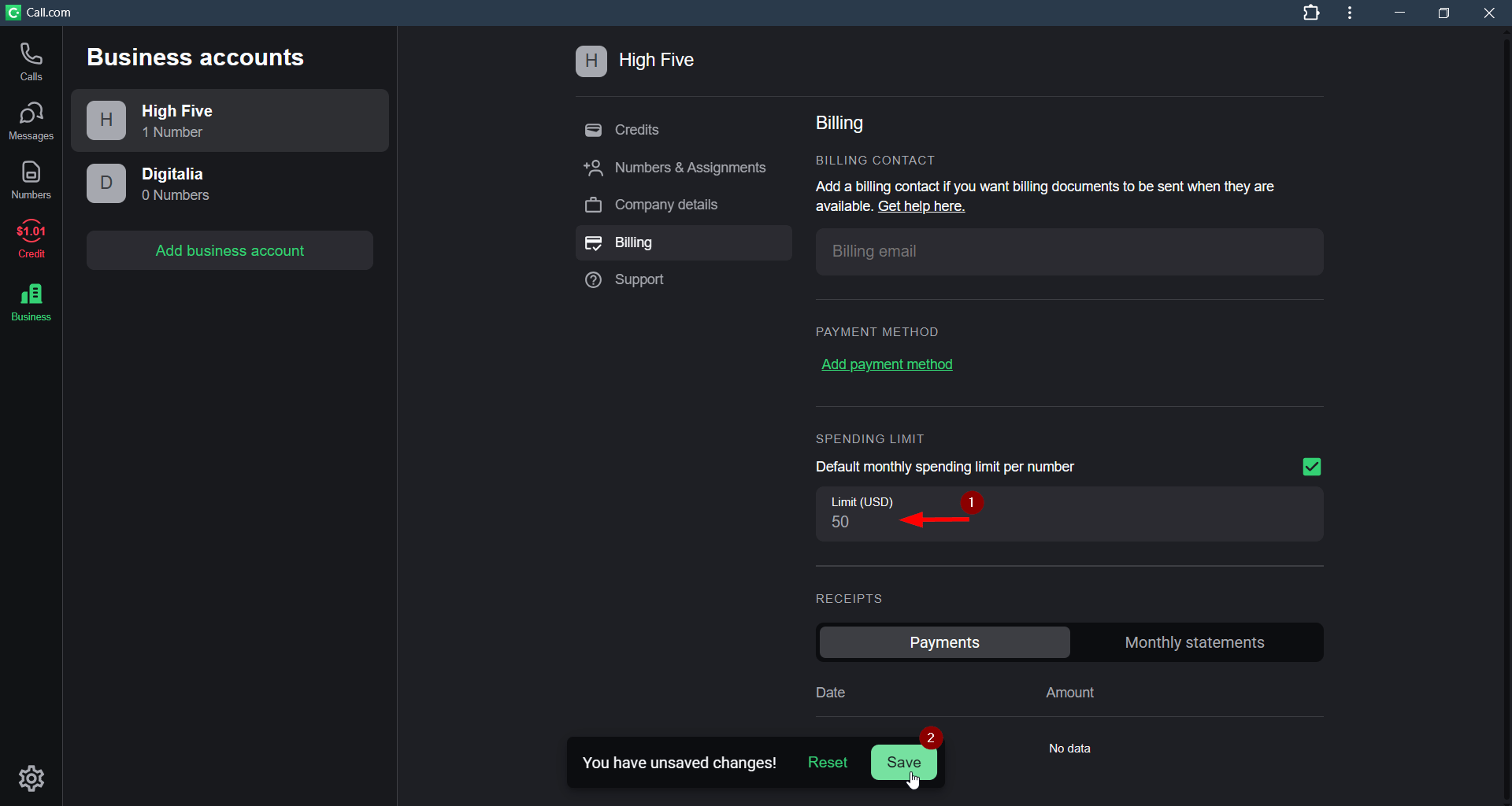
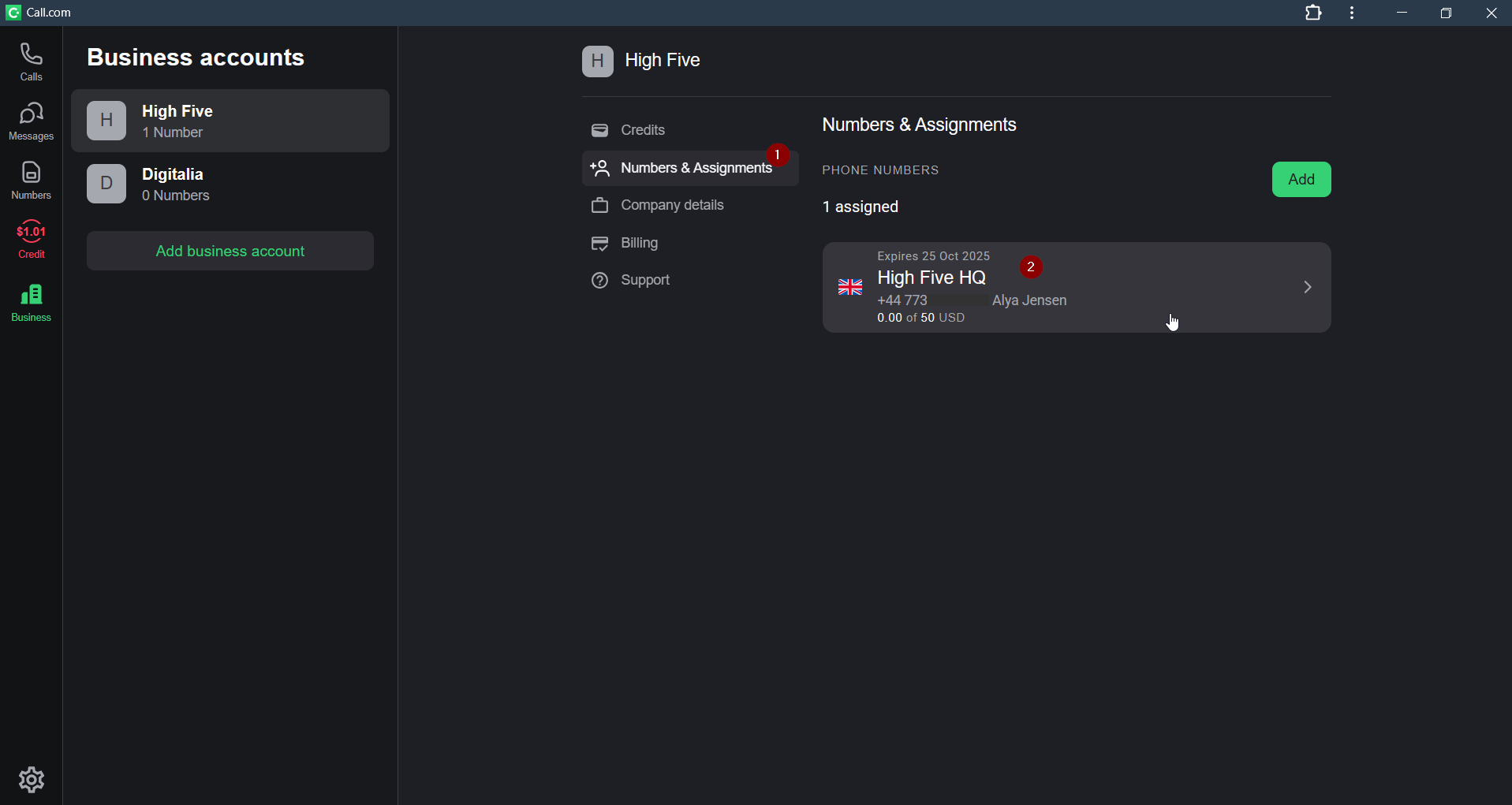
5. Alternatively, you can set a separate limit for each number. Select the “Numbers & Assignments” and select the number profile
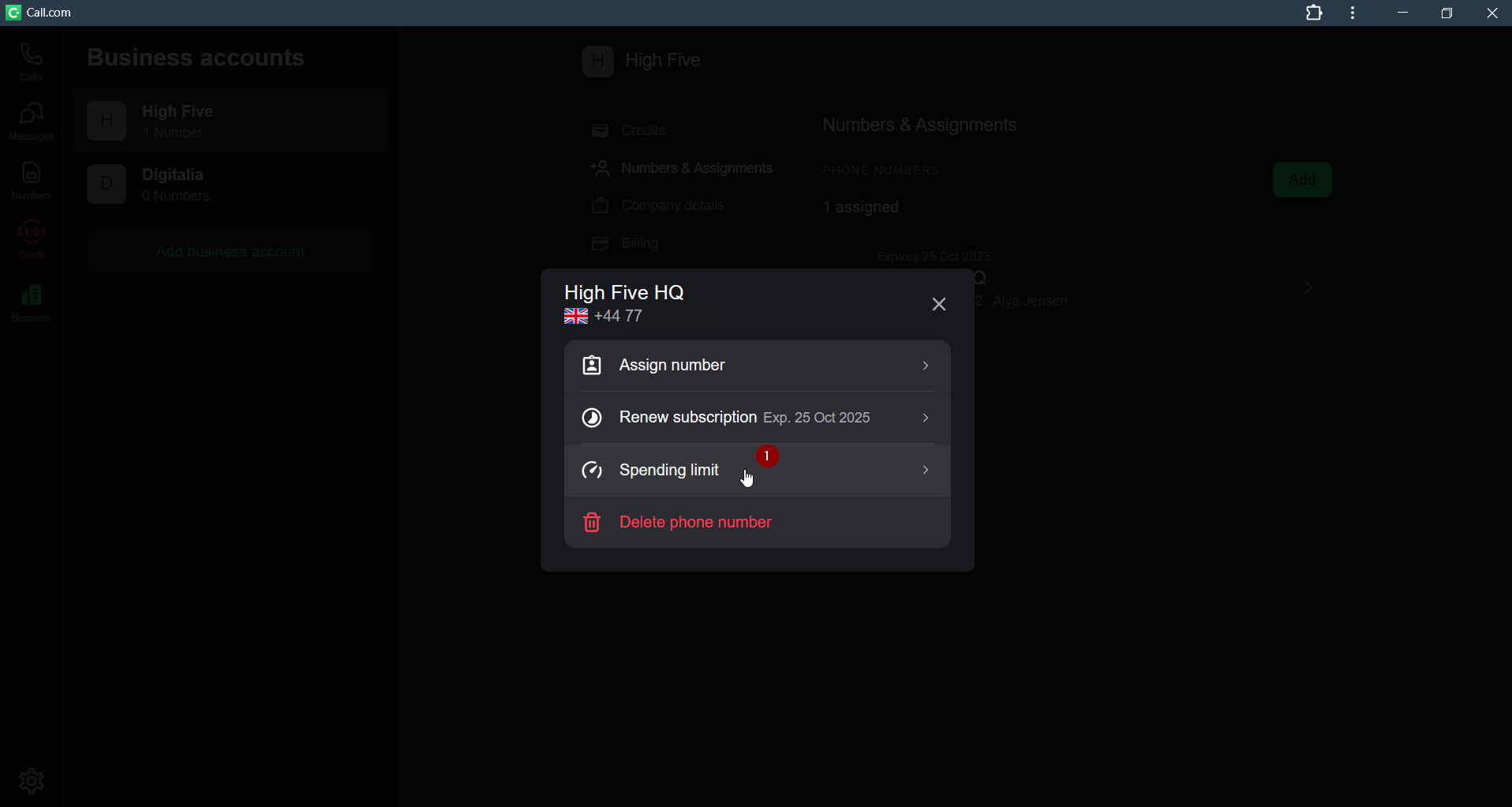
6. Select the “Spending limit” option
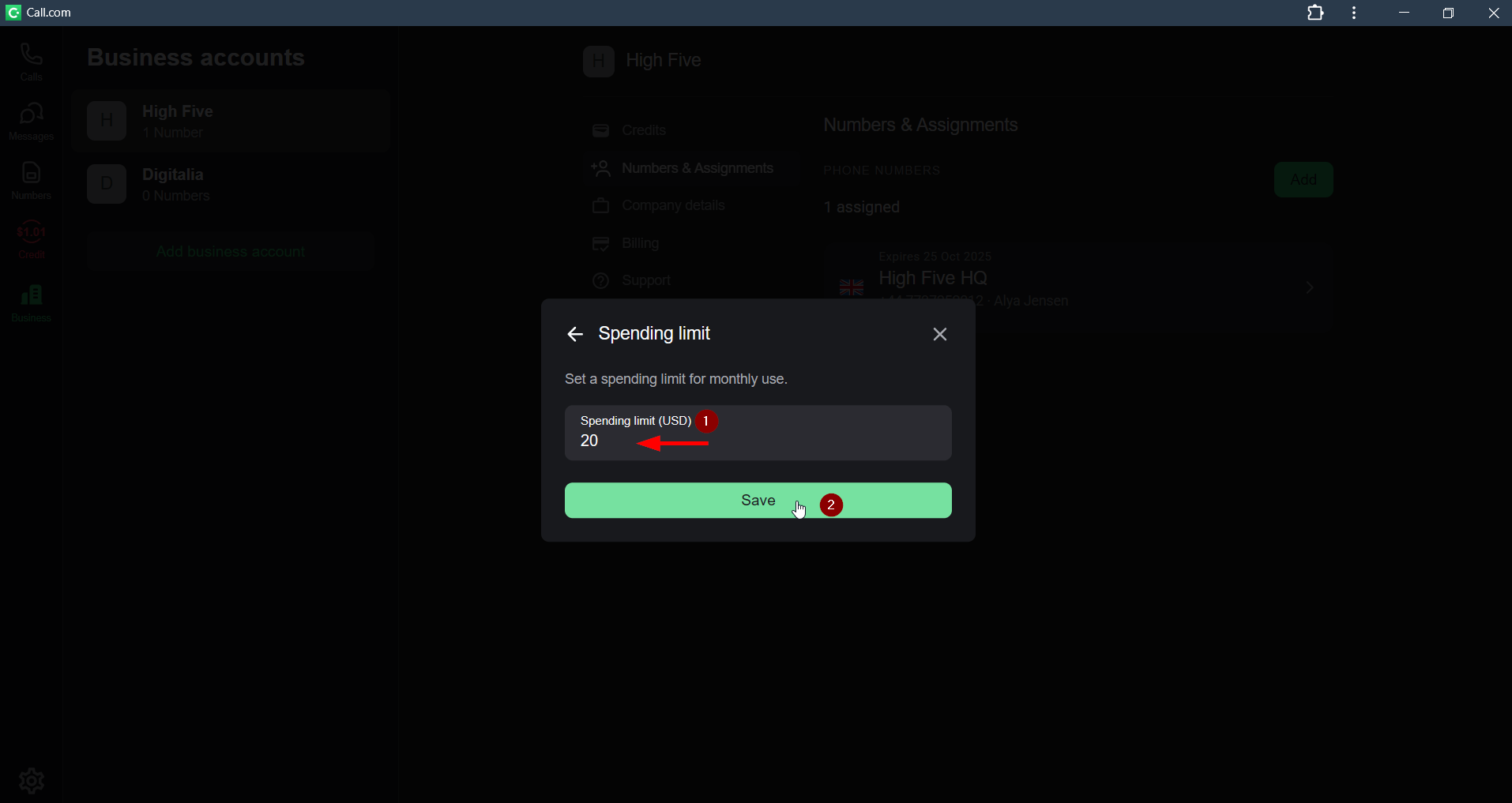
7. Enter the amount and click the “Save” button.
8. Now you can easily monitor expenses for each number